Project Spotlight: The Precision Ball Balancer
Solving the Chaos of Physics with Kotlin, OpenCV, and STM32/Arduino
What happens when you combine high-speed computer vision with advanced control theory? You get a machine that defies gravity. The Ball Balancing Robot is one of my most challenging projects, requiring a seamless bridge between a smartphone’s “brain” and a robotic platform’s “muscles.”
The Concept: A Triple-Threat Integration
The goal was simple yet ambitious: Maintain a ball at the exact center of a plate, regardless of where it starts or how the plate is tilted. To achieve this, I built a closed-loop system that operates across three distinct layers:
- The Eye (Android & OpenCV): Using a smartphone mounted above the platform, I developed a custom Android app in Kotlin. Using OpenCV, the app tracks the ball’s position in real-time, filtering colors and calculating its X and Y coordinates at 30+ frames per second.
- The Brain (PID Control): The app doesn’t just “see”; it “thinks.” I implemented a dual PID (Proportional-Integral-Derivative) Controller to calculate the exact tilt angle needed to counteract the ball’s momentum.
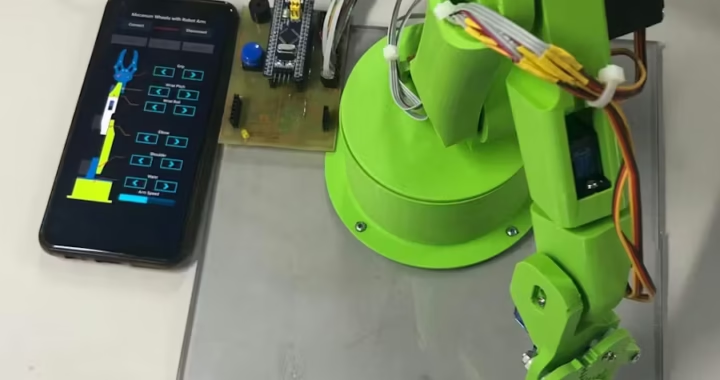
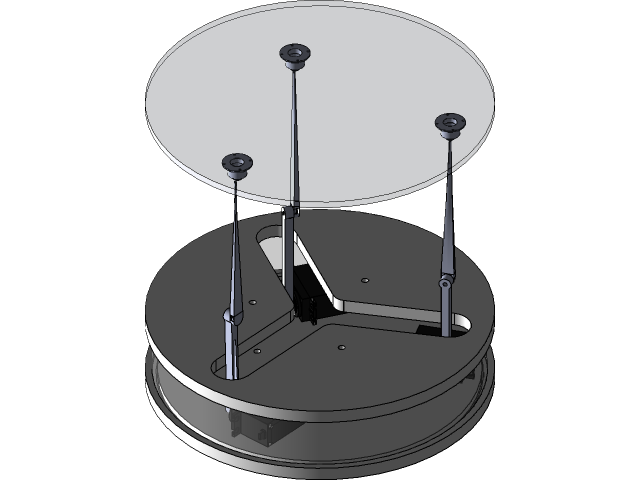
- The Muscles (Embedded Systems): Through a high-speed USB-Serial link, the Android app sends commands to an Arduino/STM32 controller, which drives three high-precision stepper motors to tilt the platform with sub-degree accuracy.
Technical Deep Dive: Overcoming the “Runaway Motor” Glitch
Every engineering project has its “Eureka” moments and its frustrations. During development, I encountered a fascinating issue where motors would respond to one axis but “drift” infinitely on another.
Through rigorous debugging of the Inverse Kinematics equations, I discovered that the relationship between the three motors is non-linear. To fix this, I redesigned the movement logic to ensure that for every X or Y command, all three motors work in a synchronized “dance”:
- Motor 1: Handles the primary Y-axis tilt.
- Motors 2 & 3: Work in opposition to manage the X-axis while maintaining the overall height.
I also implemented a strict Movement Range (-60 to +60 units) and a Dead Zone filter to prevent the motors from vibrating when the ball is perfectly centered.
Key Features of the “Roar” Balancing App
- Real-time HSV Tracking: Precise ball detection under varying light conditions.
- Low-Latency USB Communication: Data transfer at 115200 baud for instant reaction times.
- Dynamic PID Tuning: The ability to adjust gain settings on the fly to stabilize different ball weights.
- Optimized Slicing for 3D Parts: All mechanical links and the plate itself were 3D printed with PETG for maximum rigidity and low weight.
Why This Project Matters
This project isn’t just about balancing a ball; it’s a demonstration of how Native Android Development can be used as a powerful controller for industrial automation and robotics. It showcases the ability to handle:
- Complex mathematical transformations.
- Hardware-software handshaking.
- Real-time image processing.
Interested in the code or the build process? Check out my [Android Category] for the Kotlin implementation or visit the [Robotics Section] to see the Arduino/STM32 firmware breakdown.